
Petuniac Full Icon Set
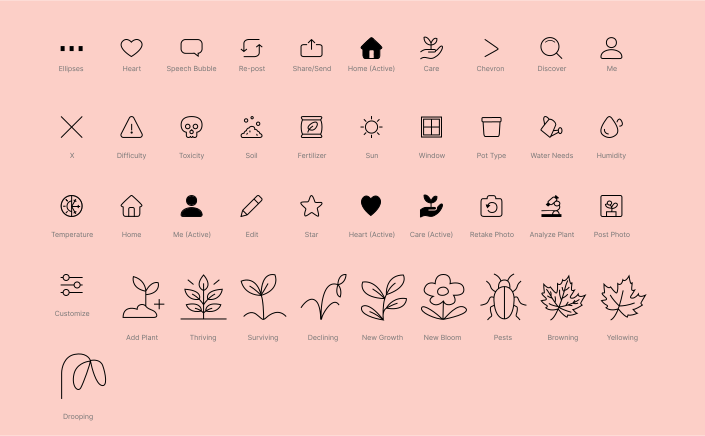
A product iconography suite is a set of cohesive icons for a single product or brand that share a unified style, sizing, and visual language to create a consistent and harmonious user experience. These icons communicate core product ideas, enhance brand identity, improve usability, and facilitate quick recognition, acting as a foundational element of a product's overall design system.
For this project, I designed a completed icon set for Petuniac, a plant-care app focused on clarity, approachability, and user-friendly visual communication. My concept was to create a cohesive system of minimal, line-based icons with thin strokes and simple organic forms, reflecting the app’s calm, nature-centered brand identity while ensuring readability at small mobile sizes.
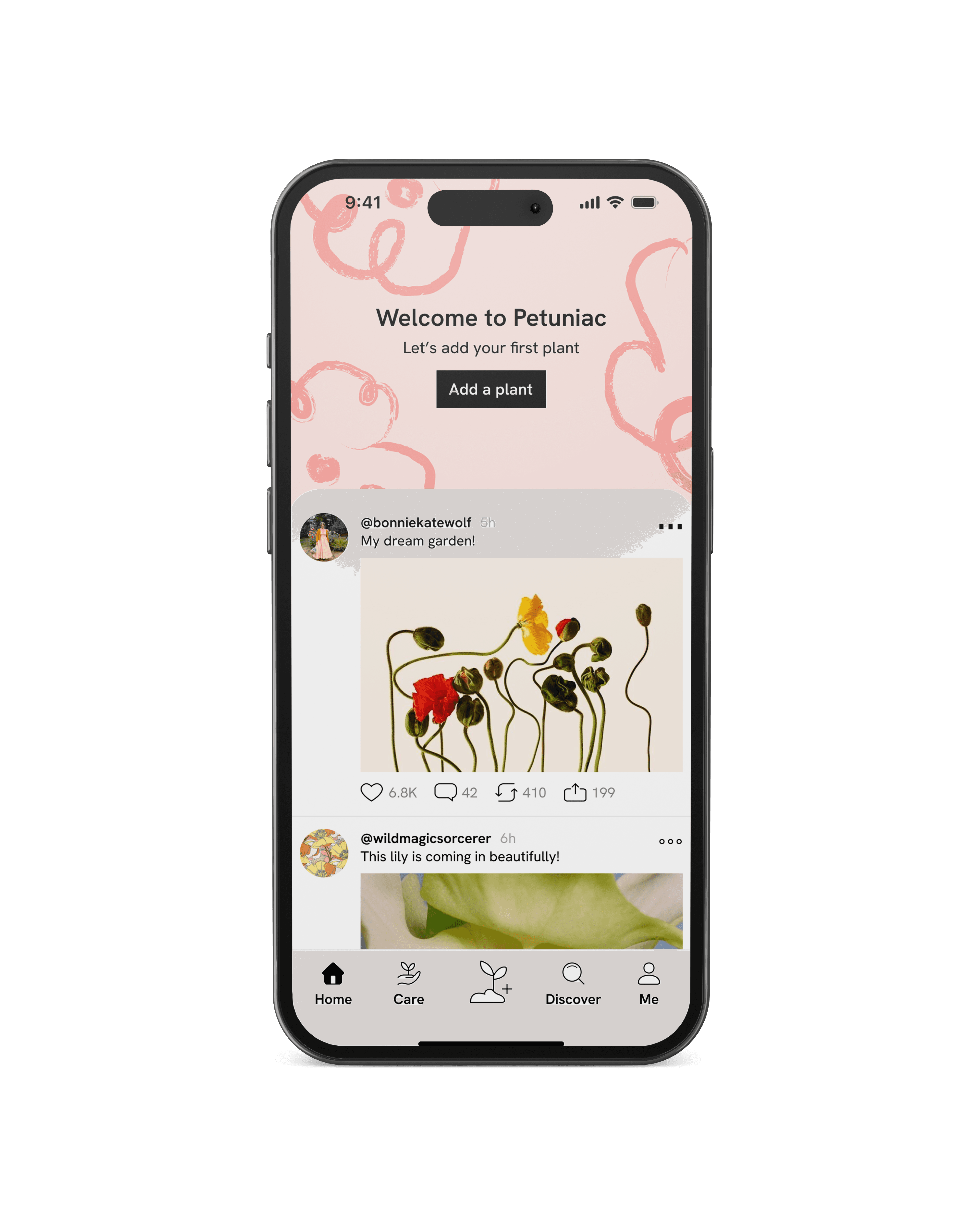
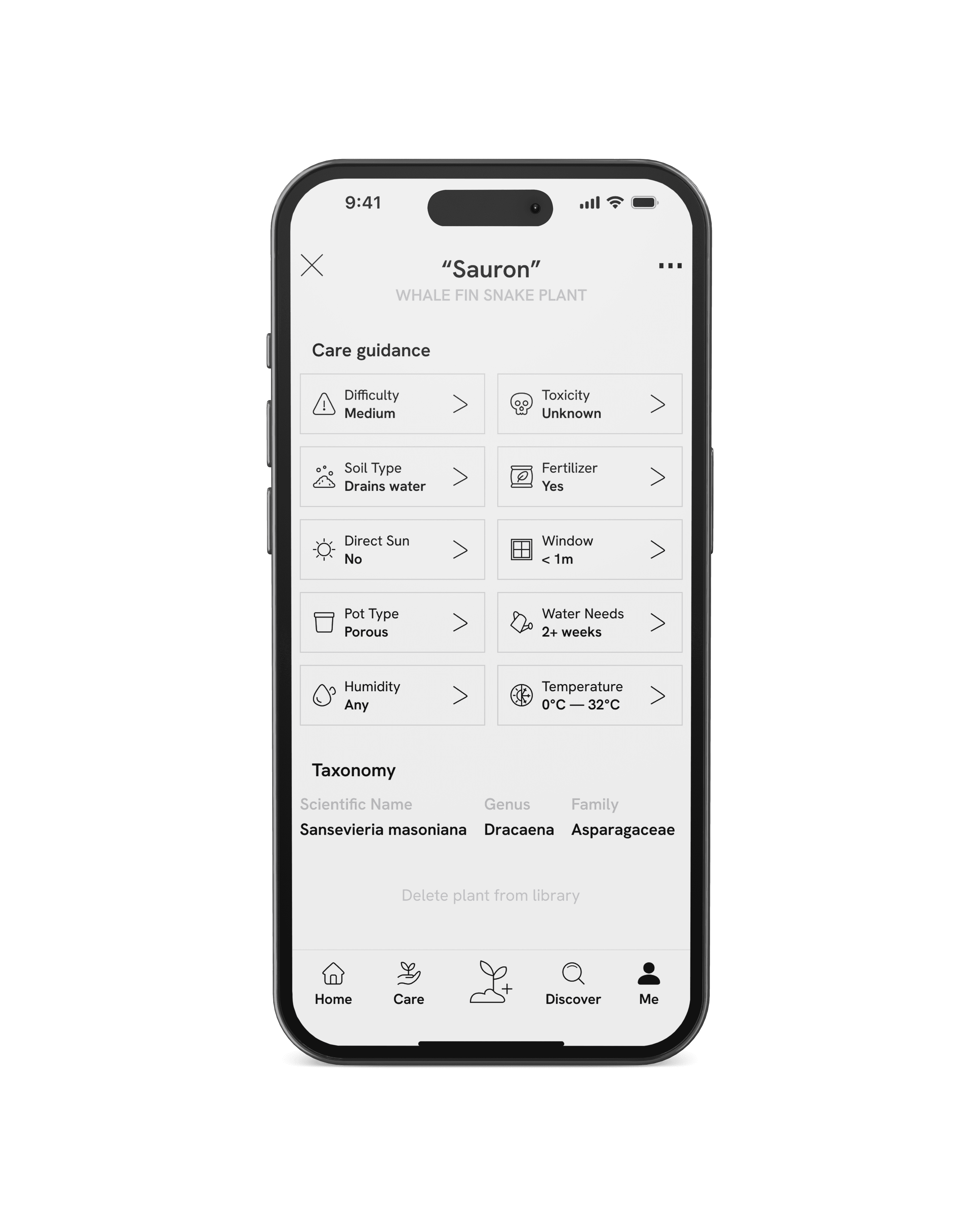
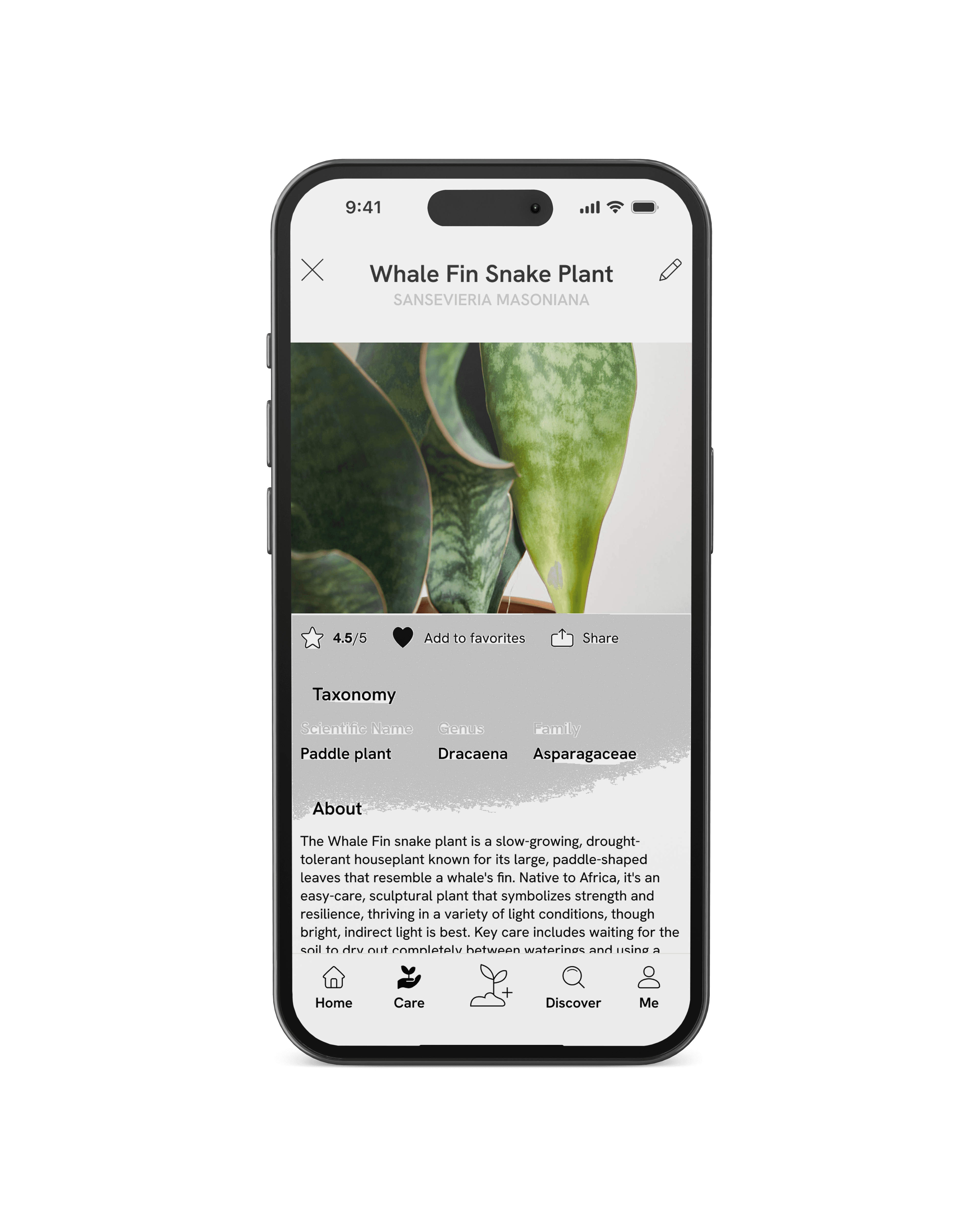
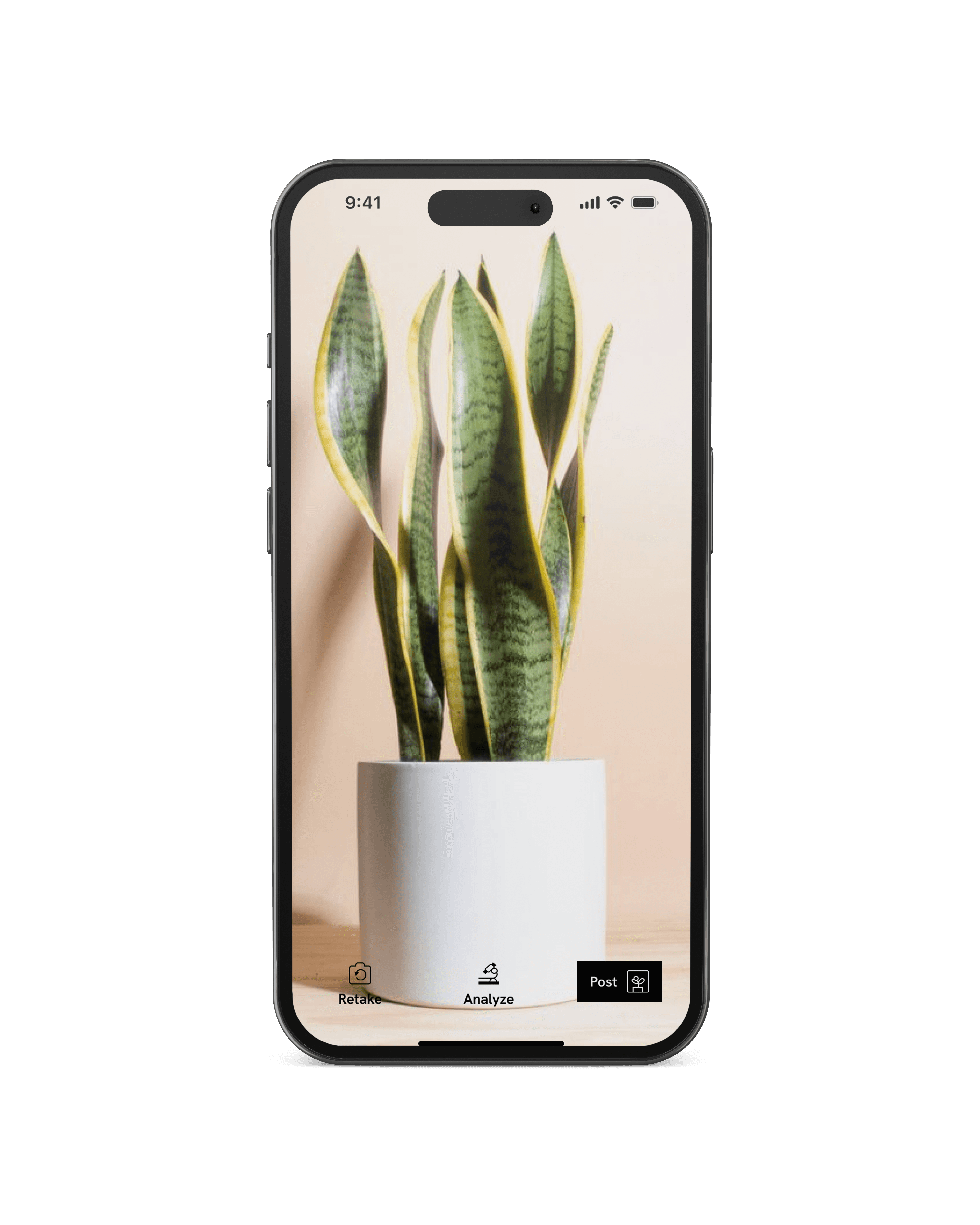
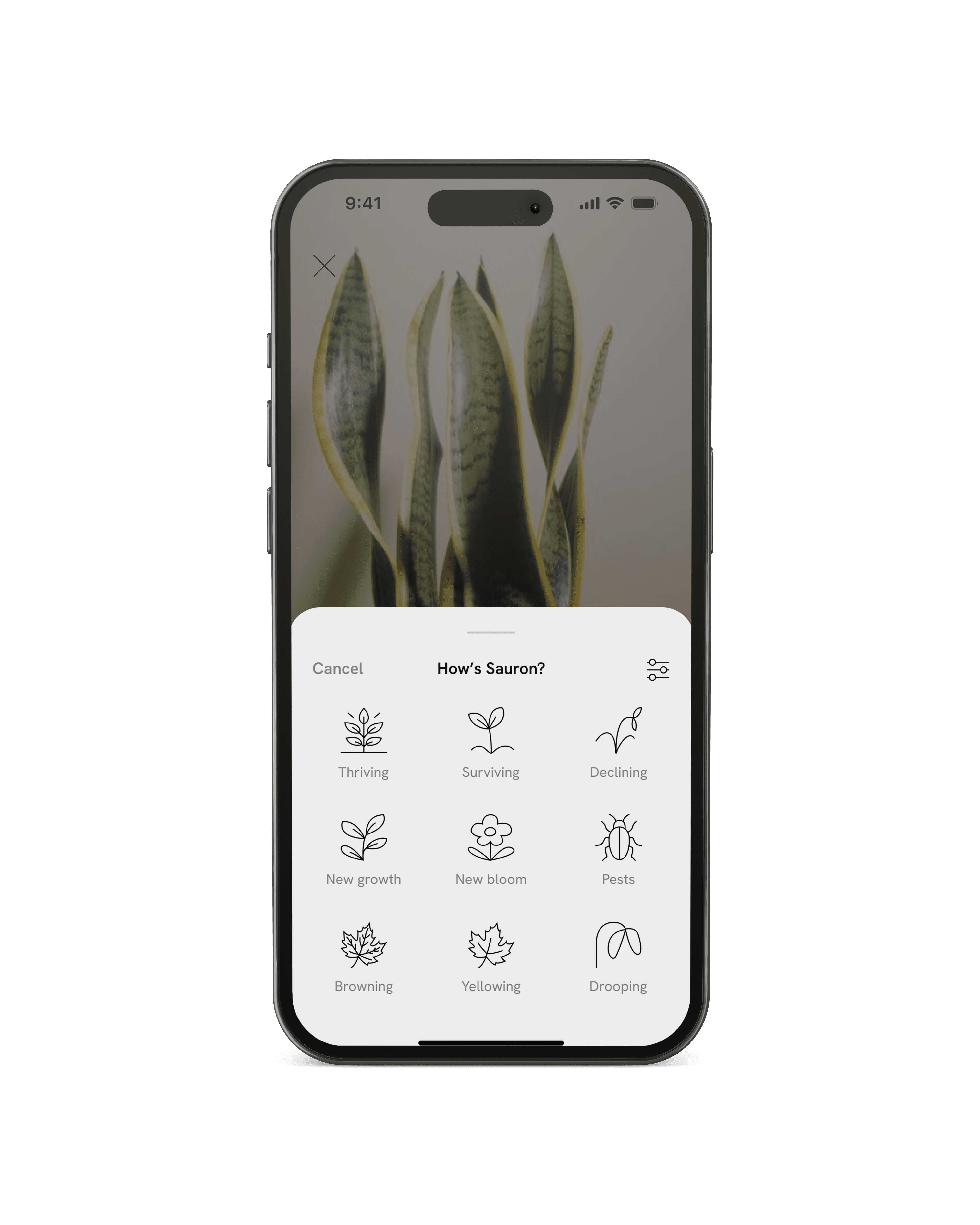

The icon set reflects the brand's focus on nature, growth, and clarity. The clean line-drawing style mirrors the brand’s tone of approachability, simplicity, and care (qualities that support a calm, educational, and trustworthy visual system). The use of consistent line weight and open forms gives the icons a light, natural feeling, showing the organic feeling of plants and environmental growth.
Each icon communicates its concept using simple, recognizable forms and minimal visual noise. The emphasis on balance and symmetry reinforces a sense of reliability, while the subtle variation in shapes adds warmth and friendliness to the overall system.
TBD
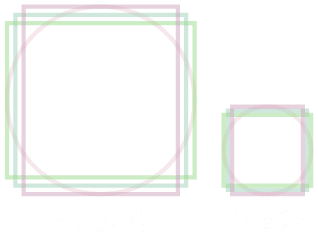
24×24 Icon Key lines
For icons rendered at 24×24 px, the following keyline shapes are used:
• Rectangle (22×18) — for horizontally oriented icons
• Rectangle (18×22) — for vertically oriented icons
• Square (20×20) — for balanced or symmetrical icons
• Circle (22×22) — for icons with circular geometry or radial symmetry
These key lines prevent any icon from feeling visually heavier or lighter than the others and help maintain optical consistency at small sizes.
48×48 Icon Key lines
For larger icons (48×48 px), the same proportional system is scaled up:
• Rectangle (46×38) — horizontal emphasis
• Rectangle (38×46) — vertical emphasis
• Square (42×42) — balanced forms
• Circle (46×46) — circular or centered compositions
These larger key lines follow the same visual rules as the 24px
set ensuring the icon family remains consistent across multiple
display sizes.
Key Lines
Use key lines ensure visual consistency across the icon system by defining the maximum active area an icon can occupy. Although the final exported icon size is 24×24 px (with some icons at 48×48 px), the key lines act as internal boundaries that keep shapes proportional, aligned, and balanced.
How to Use Key Lines Properly
• Fit the icon’s primary shape inside the closest-matching key line (square, circle, horizontal or vertical rectangle).
• Maintain a small amount of breathing room between the stroke and the edges of the key line to avoid visual crowding, especially at 24px.
• Center icons optically, not strictly mathematically visual balance takes priority.
• Do not scale icons independently of their key lines. Always scale the entire key line grid if creating larger or smaller versions.
• Keep stroke weight consistent (1 pt) across all key line sizes to maintain uniform appearance.
Proper use of key lines ensures that even though the icons vary in subject and geometry, they still feel like part of a single, cohesive visual system.
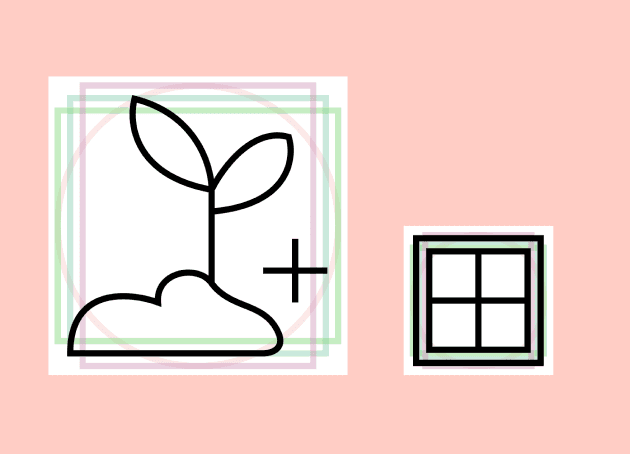
24×24
48×48
A consistent 1 pt stroke creates visual harmony and readability across all icons.
Icons use simple, unfilled outlines to maintain a clean, modern aesthetic.
The ends of each line have sharp edges and come to a point.
Each icon fits within one of these keyline shapes, ensuring consistent proportions and balance throughout the set.
Clear space is maintained around each icon to prevent crowding and maintain visual clarity
Icons are centered to maintain balance and visual stability across the system.
Technical Specifications:
Stroke Weight: 1pt
Style: Line Drawing / Outline
End Caps:
Keylines: Rectangle (22×18),
Square (20×20), Rectangle
(18×22), Circle (22×22)
Spacing: 1pt padding
Alignment: Centered with keyline